

 English
 Bangla
 Arabic
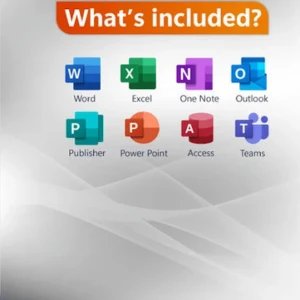
Office 2021 Pro Plus Sync with email bind KEY lifetime
People are viewing right now
Syncing Office 2021 Pro Plus with your email account helps streamline your workflow and enhance productivity. Additionally, managing your lifetime activation key is crucial for ensuring continuous access to your software. This guide provides a detailed approach to both tasks.
Syncing Office 2021 with Email:
- Open Office Application: Launch an Office application, such as Outlook, which integrates directly with email.
- Add Email Account: Navigate to the account settings to add your email account. Enter the necessary credentials and server settings if prompted.
- Configure Sync Settings: Adjust your email sync settings, such as frequency and notification preferences, to fit your needs.
Managing Your Lifetime Activation Key:
- Verify Your Key: Ensure that your lifetime activation key is genuine and has been purchased from an authorized source.
- Check Activation Status: Regularly confirm that your Office software is activated and that the key remains valid.
- Troubleshoot Issues: If you face activation issues or need to re-enter your key, refer to Microsoft’s troubleshooting guidelines or contact support for assistance.
By following these steps, you can efficiently sync your email with Office 2021 Pro Plus and manage your activation key, ensuring a smooth and productive experience with your software.
Related products

Office 365 5 Device 1 Year Sub: (yourname@office365bdt.com)
520.00৳
1,020.00৳

Office 365 Personal Own mail 1tb Drive and 5 device
2,500.00৳
3,500.00৳

Office 2016 Pro Plus Retail online activation Key
370.00৳
1,000.00৳

Office 2016 Pro Plus Retail Phone activation Key
270.00৳
1,000.00৳

Office 2016 Pro Plus Sync with email bind KEY lifetime
649.00৳
1,250.00৳

Office 2019 Pro Plus Retail online activation Key
360.00৳
1,250.00৳

Office 2019 Pro Plus Retail Phone activation Key
370.00৳
1,020.00৳

Office 2019 Pro Plus Sync with email bind KEY lifetime
2,560.00৳
4,560.00৳


Office 2021 Pro Plus Retail online activation Key
3,560.00৳
4,560.00৳
Office 2021 Pro Plus Retail Phone activation Key
3,560.00৳
4,560.00৳

Office 2021 Pro Plus Sync with email bind KEY lifetime
8,450.00৳
10,500.00৳

Office Project 2021 Pro License Key
2,250.00৳

উইন্ডোজ 10 প্রো -প্রোডাক্ট KEY
499.00৳

Google Meet Premium 1-Months
2,600.00৳
Frequently Bought Together

WP Rocket Premium Plugin v3.16.1.1
1,580.00৳


iobit Advanced SystemCare PRO 1PC 1 year
2,050.00৳

Microsoft Project/Visio 21 pro
1,050.00৳


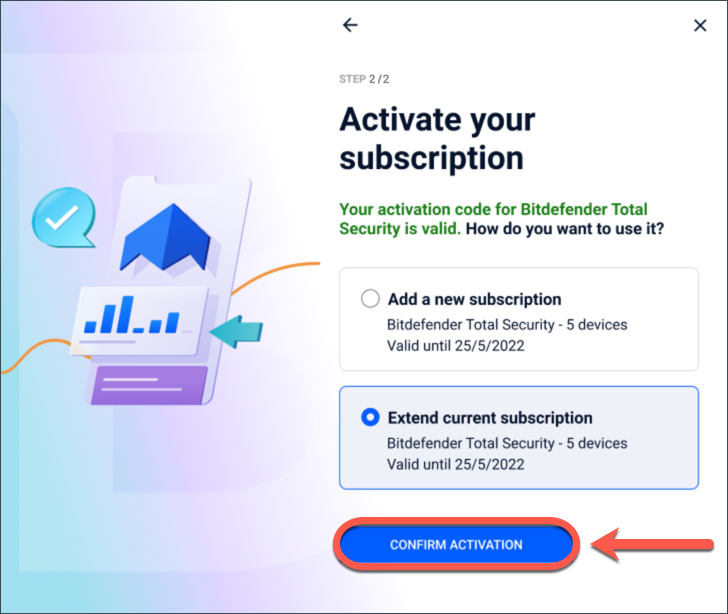
Bitdefender Total Security
1,050.00৳



Adobe Cloud Subscription 1 year Personal mail (All apps) Invite
6,499.00৳
10,500.00৳


Products from this Seller
View All


Windows Server 2016 Standard License Key
6,800.00৳

Windows Server 2019 Standard License Key
6,800.00৳

Windows Server 2022 Standard License Key
6,800.00৳


Windows Server 2022 RDS User CAL License
4,800.00৳





DU Meter Licence key-(Lifetime)
2,650.00৳


WinRar Lifetime license key
3,450.00৳
Buysalesbd online shopping Mall | AN ONLINE SHOPPING PLATFORM WITH GREAT DEALS

🎉Subscribe to Our Newsletter🎉
Subscribe our newsletter for coupon, offer and exciting promotional discount..



Image Preview
✖
Share with Friends
Trading is more effective when you share products with friends!Share you link
Share to